

What is RTSP?
RTSP, or Real Time Streaming Protocol, is used to control the delivery of audio and video streams over a network. An RTSP client can connect to a server, request a stream, and begin playback. It is commonly used by media players, cameras, and video tools, AI video processing pipelines that need a direct streaming connection. Real Time Streaming Protocol handles the session and playback control, while the media itself is carried in the stream.
From Any Ingest Protocol to RTSP Playback
A stream does not have to be published and played over the same protocol. Vasl can ingest video over WebRTC / Whip , RTMP, or SRT, NDI or even from HTTP/s or VODs then make it available to RTSP clients.
This is useful when a camera, browser, or encoder publishes using one protocol, but a downstream player, recording tool, or AI processing pipeline expects RTSP.
VASL also supports a unique feature that not many other RTSP providers supports, when an RTSP playback is request, VASL can send the stream as it is but player can also request a different codec by specifying URL parameter. VASL then starts the required encoder on demand when that version of the stream is requested and stops the encoder when the stream is no longer needed.
URL format : ( video codec parameter is optional )
rtsp://127.0.0.1:8554/{appName}/{streamId}?video={codec}What you need
- VASL media server, already installed.
- Browser.
- FFmpeg.
Example: WebRTC publishing to RTSP playback
You can publish with wide range of protocols to VASL Media Server, for the sake of this example we will use WebRTC to Publish the stream. If you want to publish with any other protocol check here.
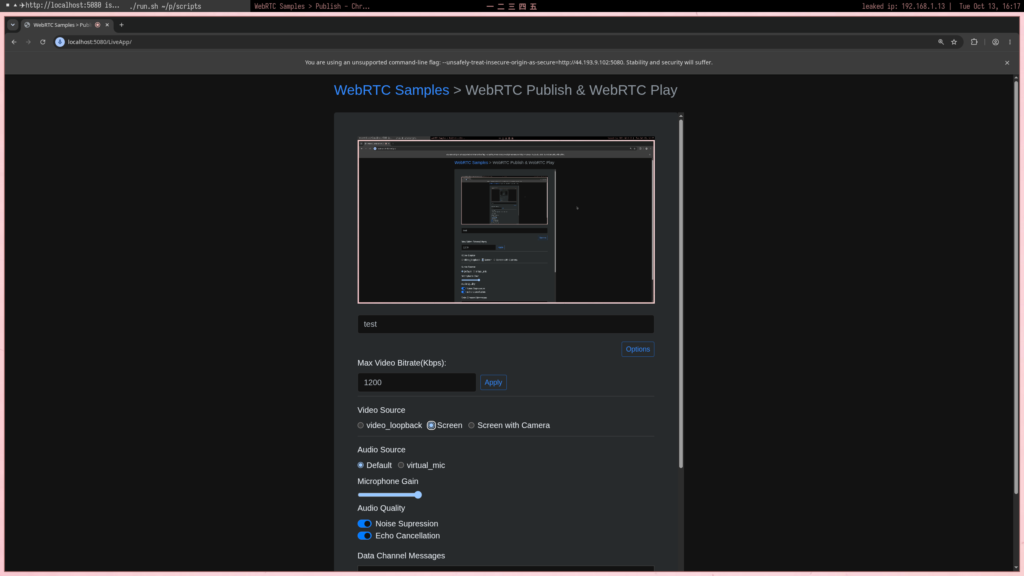
1. Publish an H.264 stream
Open the publish page:
http://VASL_IP:5080/live?id=testClick the options button, set the video codec to H.264, then click Start publishing. This makes the browser publish H.264 to the live application with the stream ID test.
2. Play the original stream over RTSP
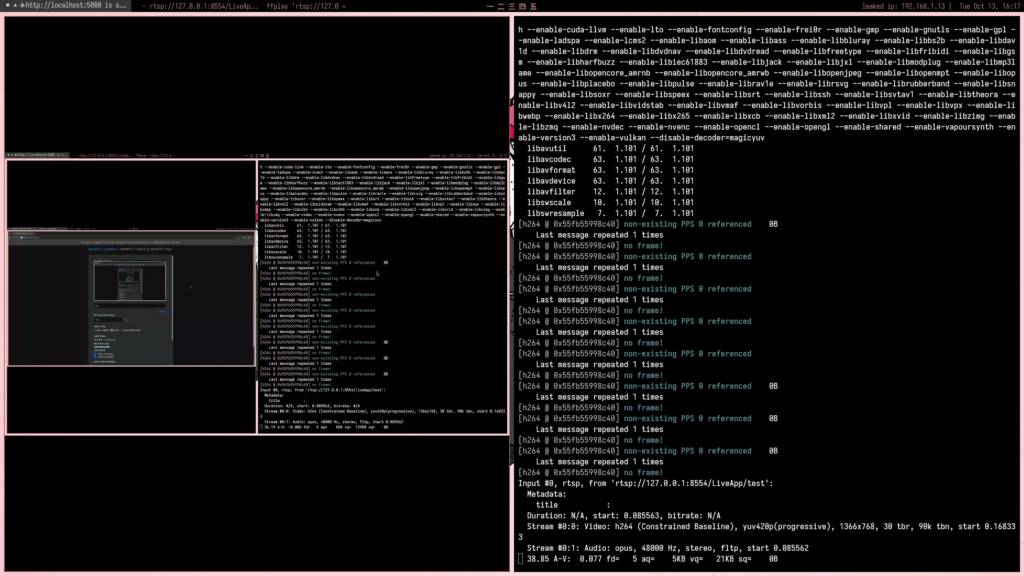
Open the stream in ffplay:
bash
ffplay rtsp://VASL_IP:8554/live/testThe player receives the published H.264 stream. Since the player can use the source codec, Vasl forwards the video without starting a video encoder.
3. Request a different codec
Note: One should only use this option if the player does not support the codec sent by publisher, or some bandwidth constraints on player side to receive high efficiency codec , or any other case, using this options spins up encoders on server side which consumes CPU / GPU so the option should only be used when absolutely needed.
Request VP8 in the URL: ( WebRTC was using H264 for Publish )
bash
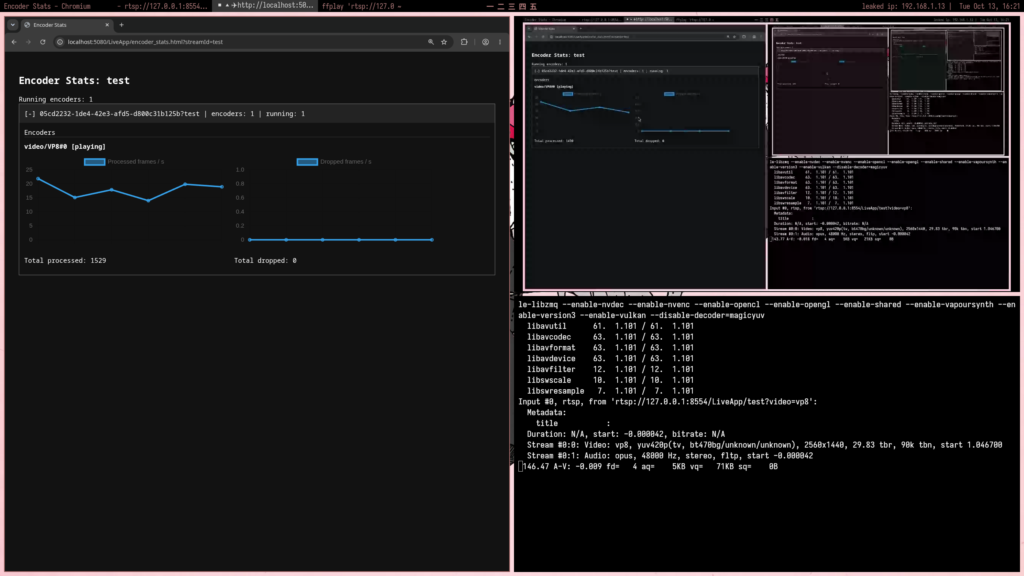
ffplay "rtsp://VASL_IP:8554/live/test?video=vp8"Here, video=vp8 specifies the codec the player can play. Vasl starts a VP8 encoder for the player and sends the converted stream to client. The original H.264 stream remains available to players that support H.264.
[Image: RTSP playback with video=vp8 specified and the VP8 encoder running]
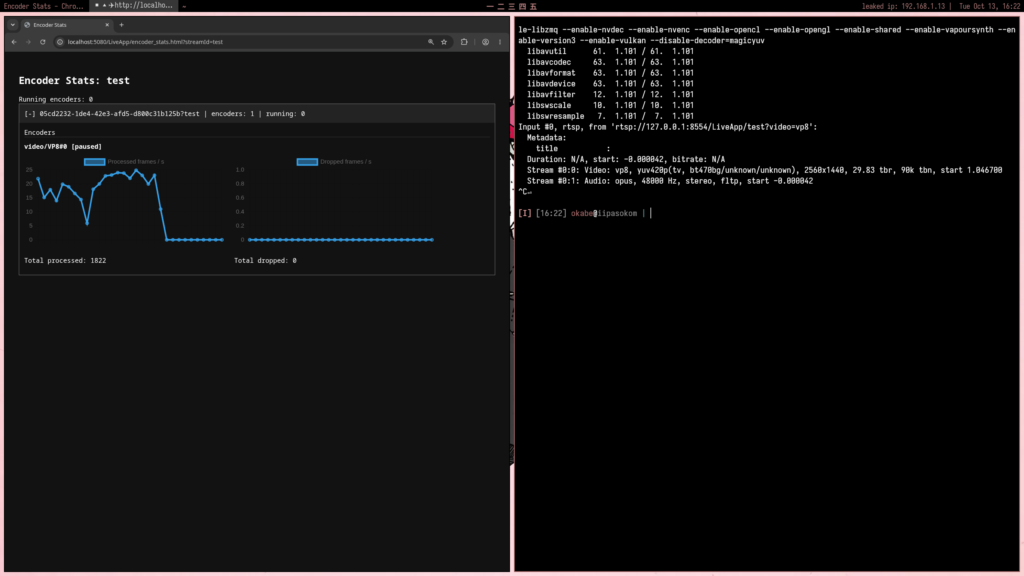
When the VP8 player disconnects, Vasl stops the VP8 encoder once no other viewers need that converted stream. The source can continue publishing over WebRTC, and clients can still play the original H.264 stream.
4. Stop RTSP playback
Close the ffplay window or stop playback with q. Once no player is requesting VP8, Vasl stops the VP8 encoder. The WebRTC publisher can keep streaming, and players requesting the original codec can continue watching.
Stream Across Protocols with Vasl
With Vasl, you can publish over WebRTC, RTMP, or SRT, NDI or even from HTTP/s or VODs and deliver streams over RTSP, with on-demand transcoding when a player needs a different codec. It’s a straightforward way to connect different clients and workflows while keeping unnecessary encoding work off your server. Try Vasl with your own streams and see how it fits your setup. To try it on your own traffic, request a demo. License terms are on pricing.
ATINE KENNETH