

Video encoding is one of the most CPU-heavy jobs a media server does. On-demand encoding is how VASL avoids paying that cost when nobody needs a second codec.
A publisher may send H.264, VP8, H.265, or VP9. Players do not all accept the same codec, so the server sometimes has to transcode.
Say the publisher is sending H.264, and one player can play only VP8. The server has to turn that H.264 stream into VP8 for that player.
Many media servers start the VP8 encoder as soon as the H.264 stream is published, and they leave it running for the whole session, even when no player needs VP8.
That spends CPU on a stream nobody is watching. The server keeps encoding a VP8 copy when no player has asked for it.
Vasl’s Lazy Encoders
A camera, a hardware encoder, or a browser publishes in a codec it already supports. The players on the other side may not. A browser, an Android client, and an embedded player can each accept a different codec from the one the publisher sent.
When a player connects, Vasl tries the publisher’s codec first. If the publisher sends H.264 and the player accepts H.264, the stream is forwarded with no transcoder in the path. If the player cannot take the publisher’s codec, Vasl starts an encoder for a codec that player can play, feeds it the live publish, and sends the transcoded stream to that player. When the last subscriber of that transcoded stream leaves, the encoder stops.
CPU goes to the viewers who need a conversion. On a server carrying many streams at once, idle encoders are cores you can use for something else.
The same rule applies to H.264, VP8, VP9, AV1, and H.265. Each codec is transcoded on demand.
We send the published codec first. Another codec is encoded only while someone is watching it.
See on-demand encoding in action
The steps below force a WebRTC publisher to send H.264, then open a player that accepts only VP8. The server starts a VP8 encoder for that player and forwards the transcoded stream.
What you need
- A Vasl media server, already installed.
- A current desktop browser. The codec check at the end uses Chrome.
1. Publish an H.264 stream
- Open the publish page at
http://VASL_IP:5080/live?id=test. - Click the options button.
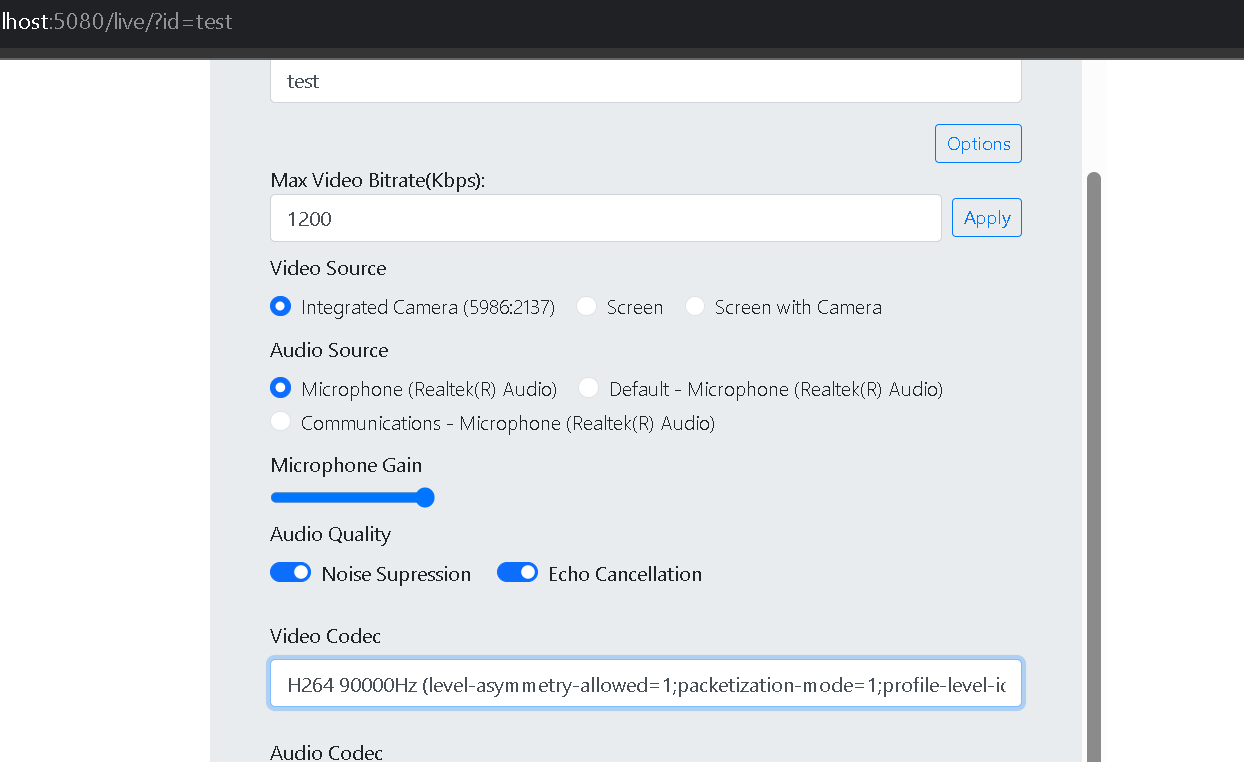
- Set the video codec to H.264. That forces the WebRTC client to publish H.264 only. If H.264 is missing from the dropdown, this browser cannot publish it.
- Click Start publishing.
2. Play the H.264 source
- Open the play page at
http://VASL_IP:5080/live/player.html?id=testand click Start playing. - The video starts. This is the publisher’s H.264 stream, forwarded with no transcoding.
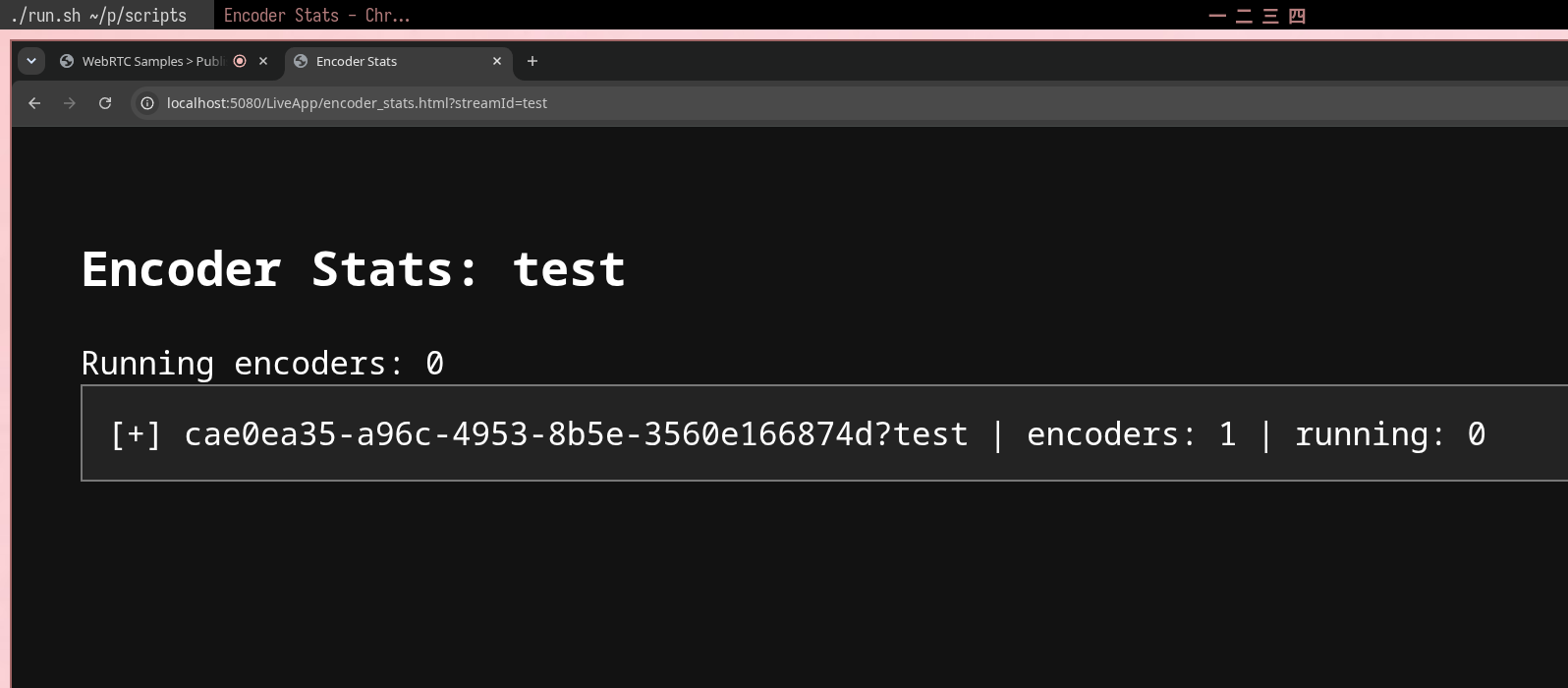
- To see how many encoders are running, open
http://VASL_IP:5080/live/encoder_stats.html?id=test. - One encoder is listed, and Running is 0. Nothing is encoding right now.
3. Play as a VP8-only client
- Open
http://VASL_IP:5080/live?id=test. - Click the options button.
- Set the video codec to VP8.
- Click Start playing.
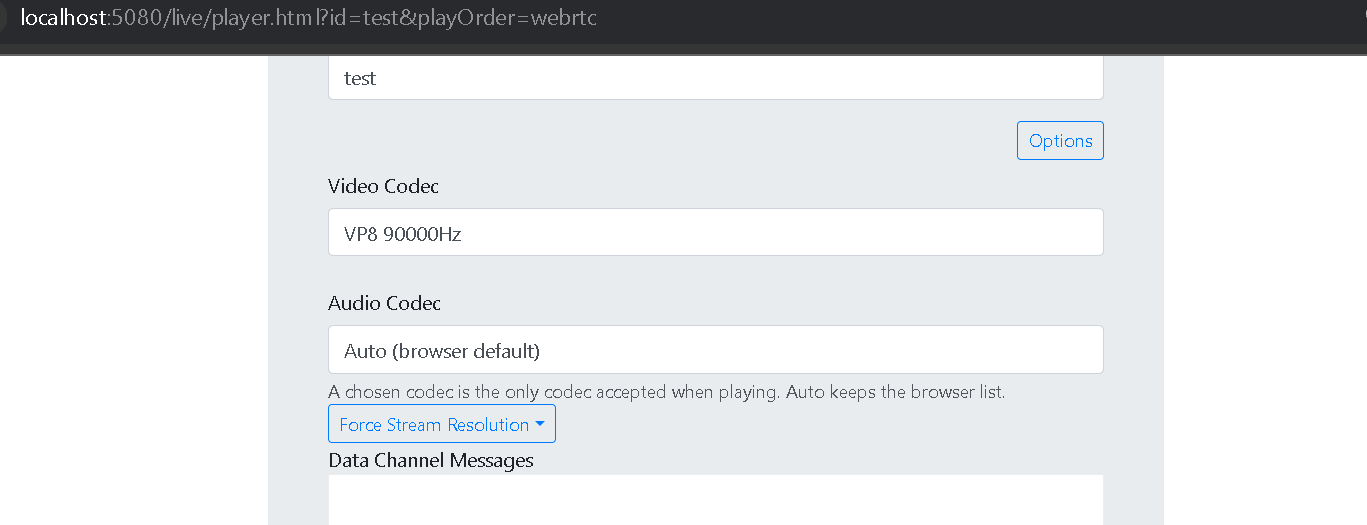
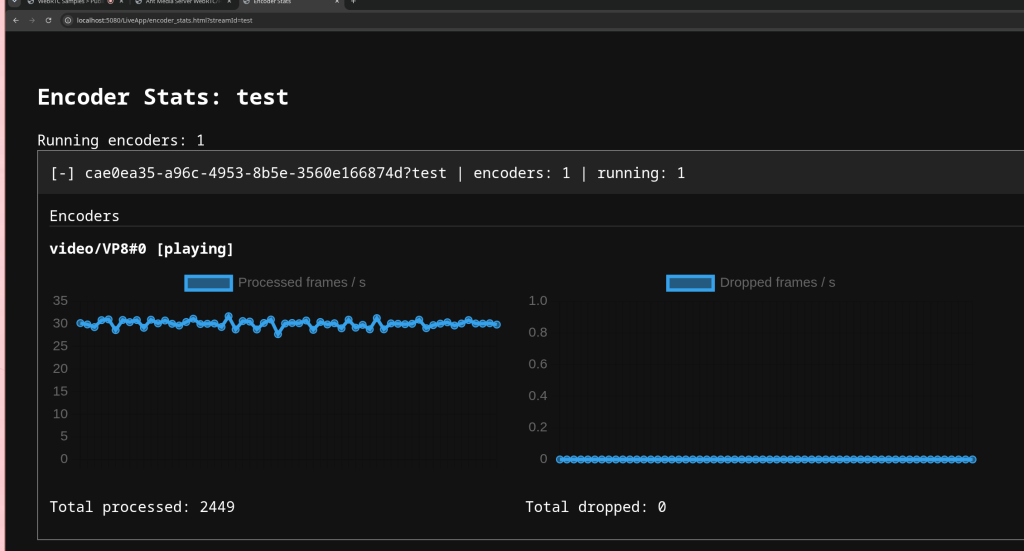
Choosing VP8 simulates that the player accept only VP8. The server starts a VP8 encoder and sends that player the transcoded stream. The screenshot below shows the VP8 encoder running.
4. Confirm the codecs in Chrome
Open chrome://webrtc-internals. You should see three peer connections: the publisher, the H.264 player, and the VP8 player. On the publisher, open the outbound-rtp video stat. On each player, open the inbound-rtp video stat. The codec is listed there.
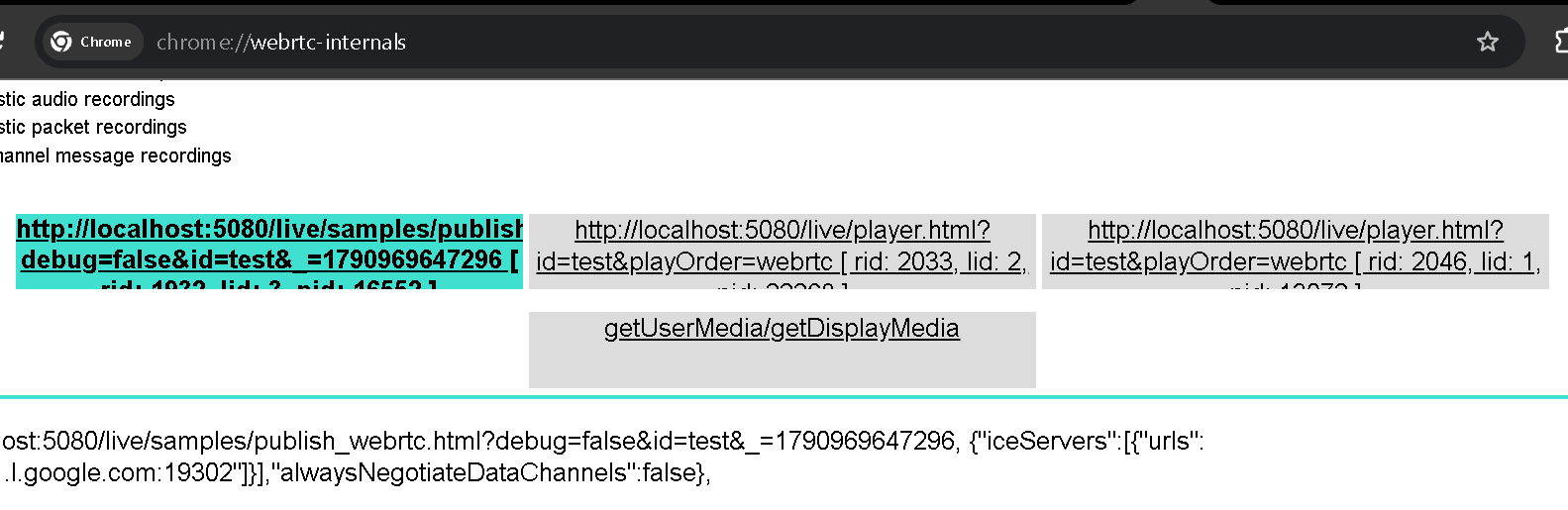
- First player:
video/H264
- Second player:
video/VP8
Same publish, two playback codecs, one encoder. The encoder is running because the second player refused H.264.
5. Stop the VP8 player
- Close the browser tab where VP8 was selected.
- Wait about 10 to 20 seconds.
- Once nobody is watching VP8, the encoder stops.
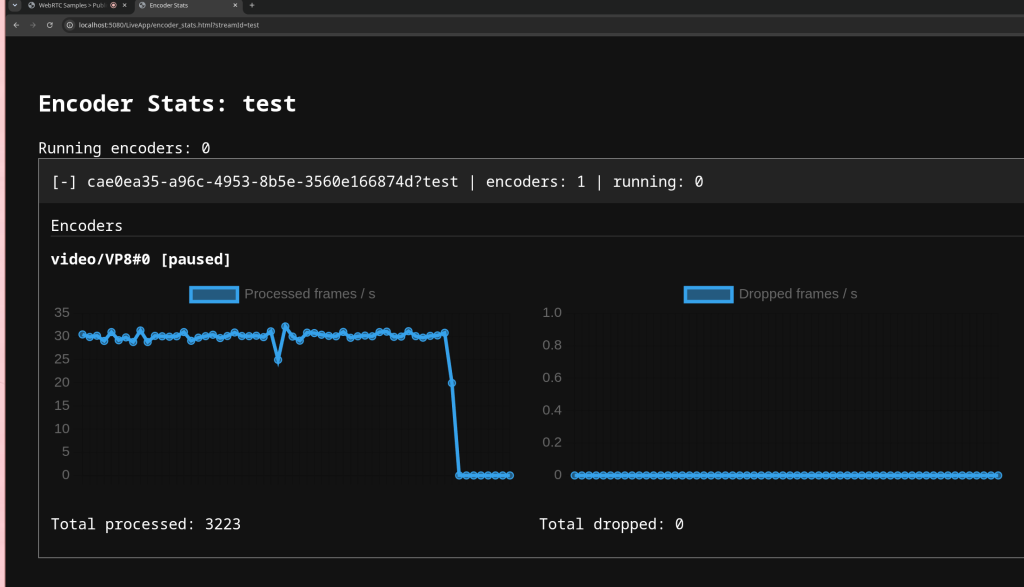
The CPU you get back
You pay for a conversion while a player needs it. When they leave, those cores go back to forwarding the original codec. Size the machine for the conversions you actually run, not for every codec you might need someday.
Automatic codec conversion is one of the crucial feature for a media server, making this feautre on demand is what makes the VASL resorce efficent and handle more load on the server, To try it on your own traffic, request a demo. License terms are on pricing.